We use machine learning technology to do auto-translation. Click "English" on top navigation bar to check Chinese version.
Enhance real-time applications with Amazon AppSync Events data source integrations
Today, we are announcing that Amazon AppSync Events now supports data source integrations for channel namespaces, enabling developers to create more sophisticated real-time applications. With this new capability you can associate Amazon Lambda functions, Amazon DynamoDB tables, Amazon Aurora databases, and other data sources with channel namespace handlers. With Amazon AppSync Events, you can build rich, real-time applications with features like data validation, event transformation, and persistent storage of events.
With these new capabilities, developers can create sophisticated event processing workflows by transforming and filtering events using Lambda functions or save batches of events to DynamoDB using the new AppSync_JS batch utilities. The integration enables complex interactive flows while reducing development time and operational overhead. For example, you can now automatically persist events to a database without writing complex integration code.
First look at data source integrations
Let’s walk through how to set up data source integrations using the Amazon Web Services Management Console. First, I’ll navigate to Amazon AppSync in the console and select my Event API (or create a new one).
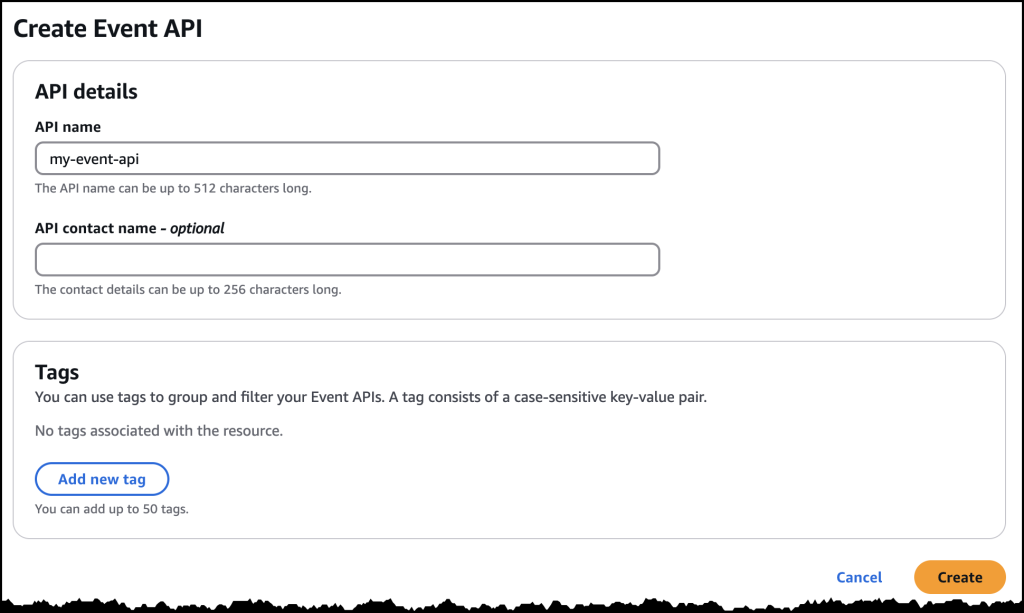
Persisting event data directly to DynamoDB
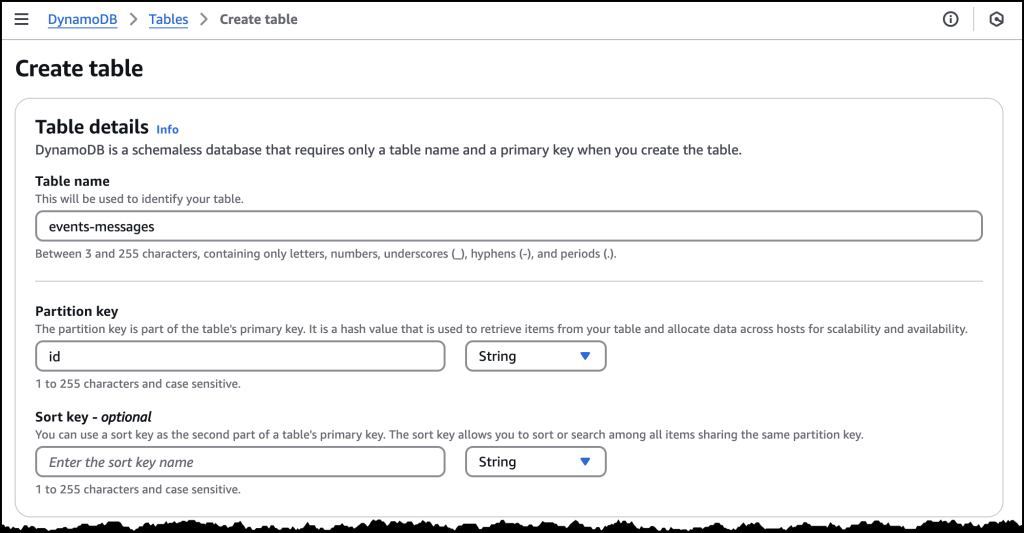
There are multiple kinds of data source integrations to choose from. For this first example, I’ll create a DynamoDB table as a data source. I’m going to need a DynamoDB table first, so I head over to DynamoDB in the console and create a new table called event-messages. For this example, all I need to do is create the table with a Partition Key called id. From here, I can click Create table and accept the default table configuration before I head back to AppSync in the console.
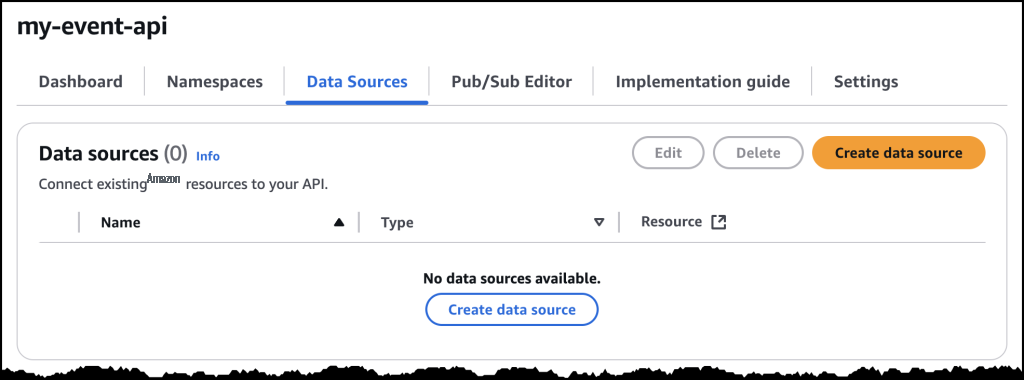
Back in the AppSync console, I return to the Event API I set up previously, select Data Sources from the tabbed navigation panel and click the Create data source button.
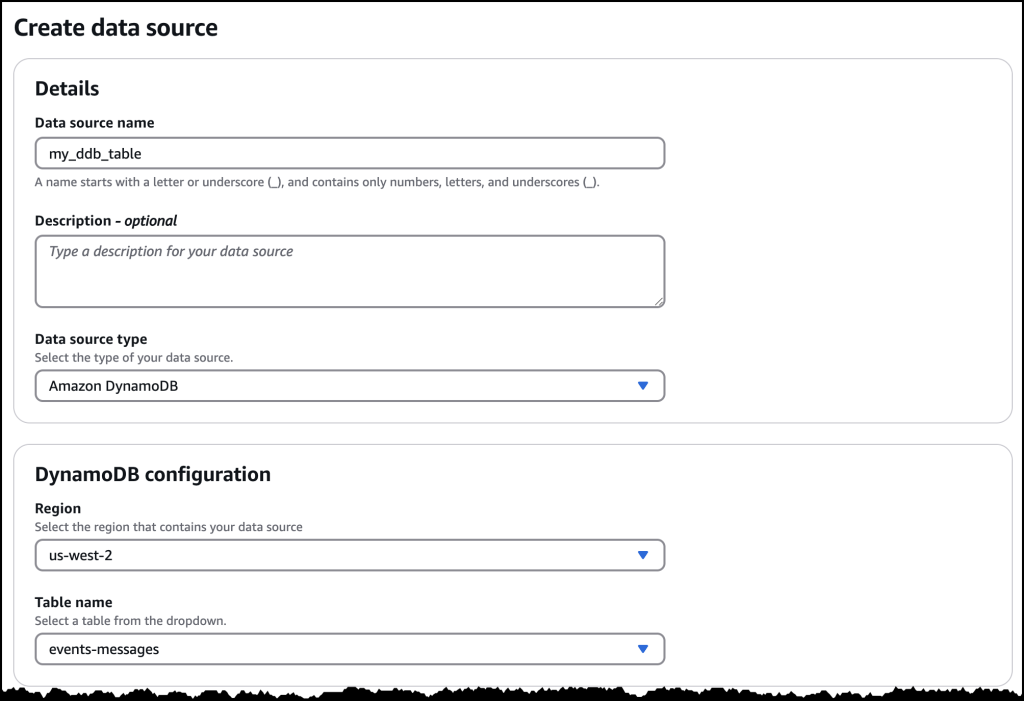
After giving my Data Source a name, I select Amazon DynamoDB from the Data source drop down menu. This will reveal configuration options for DynamoDB.
Once my data source is configured, I can implement the handler logic. Here’s an example of a Publish handler that persists events to DynamoDB:
import * as ddb from '@aws-appsync/utils/dynamodb'
import { util } from '@aws-appsync/utils'

const TABLE = 'events-messages'

export const onPublish = {
  request(ctx) {
    const channel = ctx.info.channel.path
    const timestamp = util.time.nowISO8601()
    return ddb.batchPut({
      tables: {
        [TABLE]: ctx.events.map(({id, payload}) => ({
          channel, id, timestamp, ...payload,
        })),
      },
    })
  },
  response(ctx) {
    return ctx.result.data[TABLE].map(({ id, ...payload }) => ({ id, payload }))
  },
}
To add the handler code, I go the tabbed navigation for Namespaces where I find a new default namespace already created for me. If I click to open the default namespace, I find the button that allows me to add an Event handler just below the configuration details.
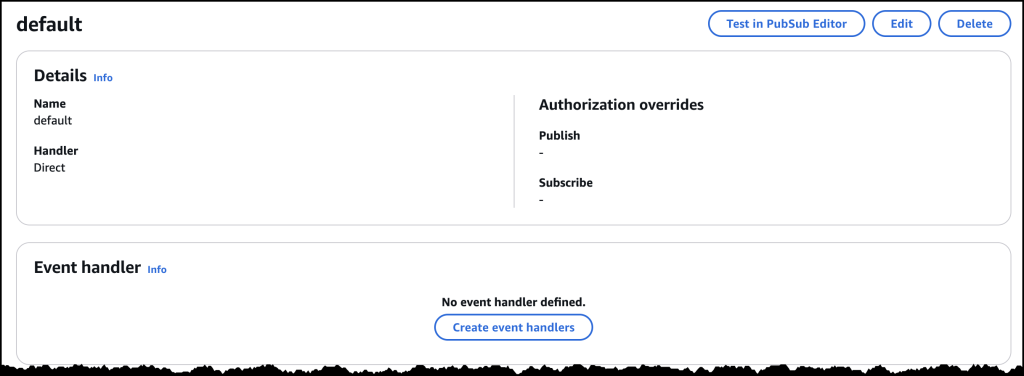
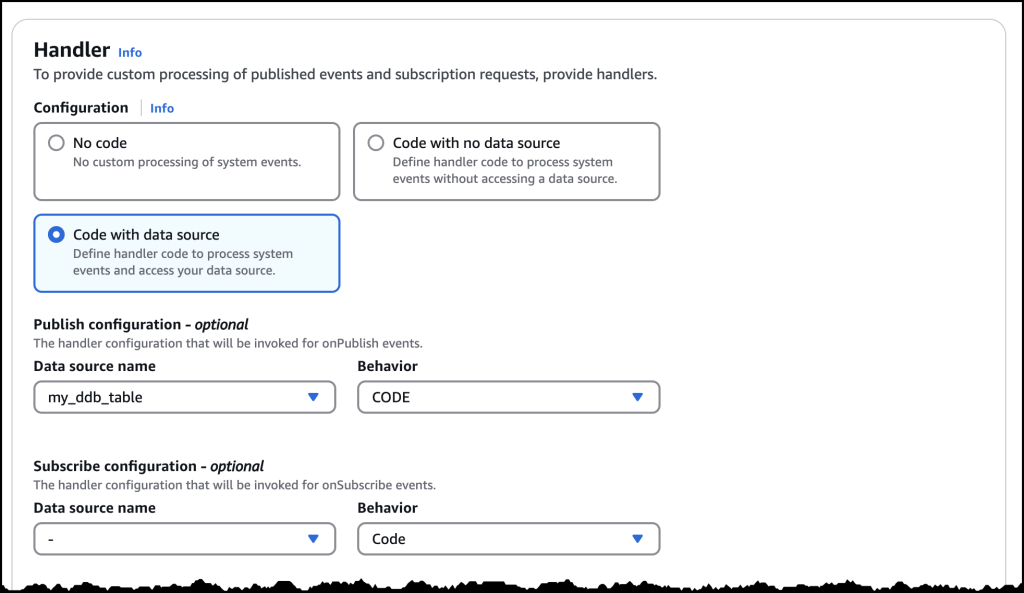
Clicking on Create event handlers brings me to a new dialog where I choose Code with data source as my configuration, and then select the DynamoDB data source as my publish configuration.
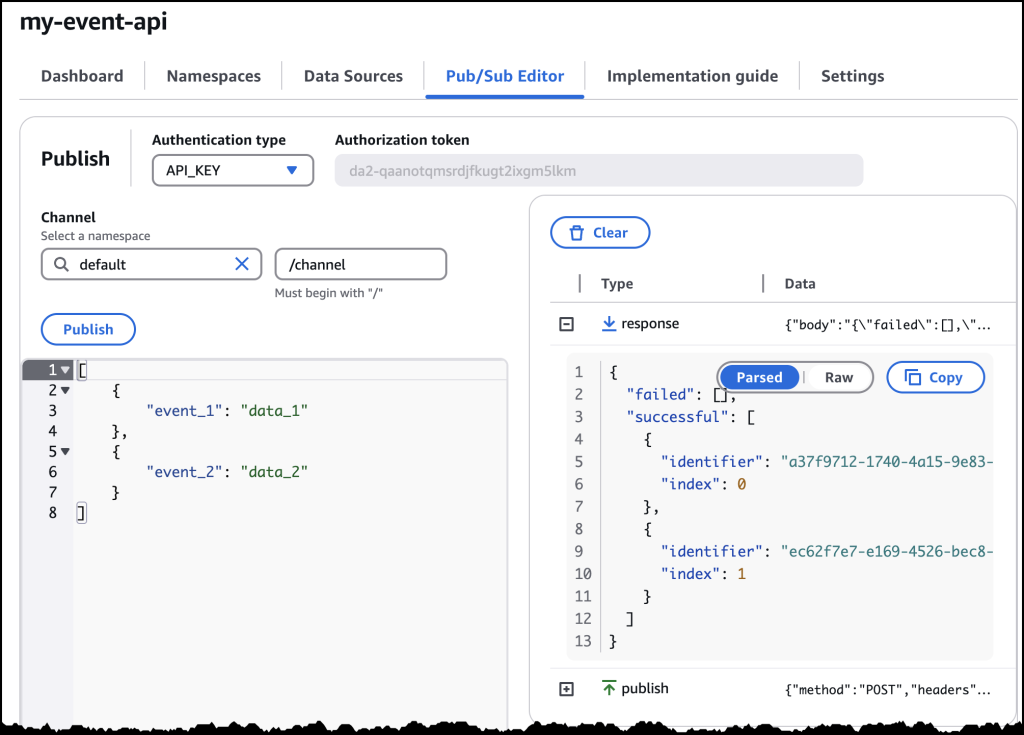
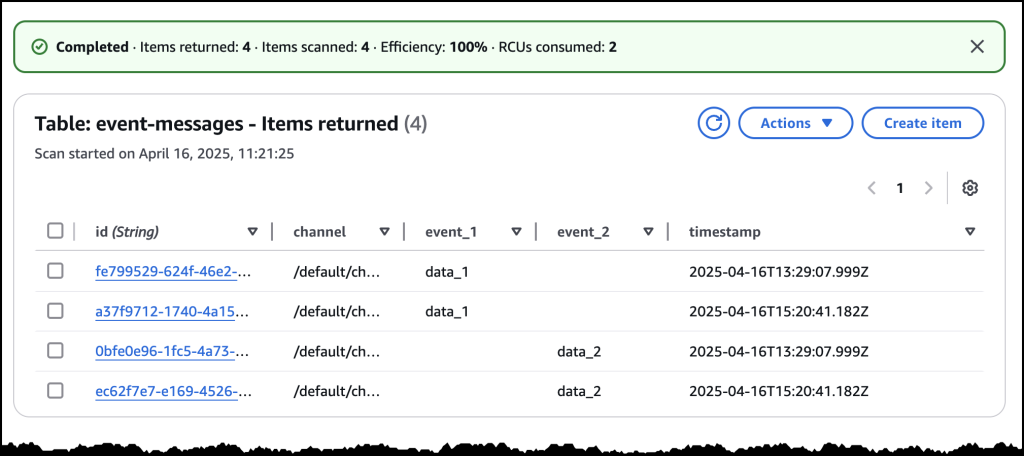
After saving the handler, I can test the integration using the built-in testing tools in the console. The default values here should work, and as you can see below, I’ve successfully written two events to my DynamoDB table.
Here’s all my messages captured in DynamoDB!
Error handling and security
The new data source integrations include comprehensive error handling capabilities. For synchronous operations, you can return specific error messages that will be logged to Amazon CloudWatch, while maintaining security by not exposing sensitive backend information to clients. For authorization scenarios, you can implement custom validation logic using Lambda functions to control access to specific channels or message types.
Available now
Amazon AppSync Events data source integrations are available today in all Amazon Web Services Regions where Amazon AppSync is available. You can start using these new features through the Amazon AppSync console, Amazon Web Services command line interface (CLI), or Amazon Web Services SDKs. There is no additional cost for using data source integrations – you pay only for the underlying resources you use (such as Lambda invocations or DynamoDB operations) and your existing AppSync Events usage.
To learn more about Amazon AppSync Events and data source integrations, visit the Amazon AppSync Events documentation and get started building more powerful real-time applications today.
— Micah;How is the News Blog doing? Take this 1 minute survey!
(This survey is hosted by an external company. Amazon Web Services handles your information as described in the Amazon Web Services Privacy Notice. Amazon Web Services will own the data gathered via this survey and will not share the information collected with survey respondents.)

Micah Walter
Micah Walter is a Sr. Solutions Architect supporting enterprise customers in the New York City region and beyond. He advises executives, engineers, and architects at every step along their journey to the cloud, with a deep focus on sustainability and practical design. In his free time, Micah enjoys the outdoors, photography, and chasing his kids around the house.
The mentioned AWS GenAI Services service names relating to generative AI are only available or previewed in the Global Regions. Amazon Web Services China promotes AWS GenAI Services relating to generative AI solely for China-to-global business purposes and/or advanced technology introduction.