We use machine learning technology to do auto-translation. Click "English" on top navigation bar to check Chinese version.
Stream VPC flow logs to Amazon OpenSearch Service via Amazon Kinesis Data Firehose
In this post, you will learn how to ingest VPC flow logs with Kinesis Data Firehose and deliver them to an Amazon OpenSearch Service for analysis using OpenSearch Service Dashboards.
Overview of solution
This solution uses native integration of VPC flow logs streaming to Kinesis Data Firehose. We use a Firehose delivery stream to buffer the streamed VPC flow logs, and deliver those to an OpenSearch Service destination endpoint. We use Amazon OpenSearch Service Dashboards to create an index pattern for the VPC flow logs to analyze and visualize the logs in a near-real time. The following diagram illustrates this architecture.
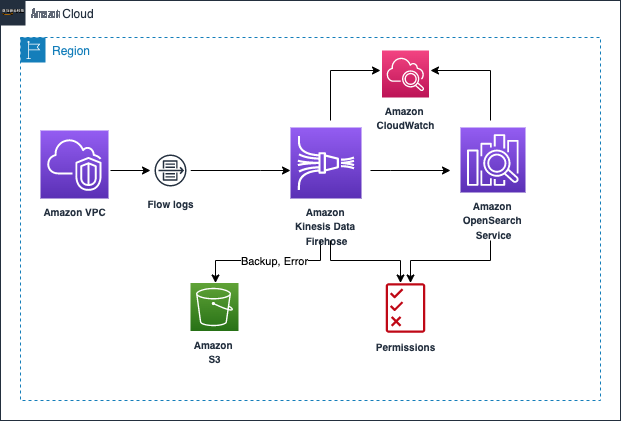
We walk you through the following high-level steps:
- Create an OpenSearch Service domain for storing and analyzing the VPC flow logs.
- Create a Firehose delivery stream to deliver the flow logs to the OpenSearch Service domain.
- Create a VPC flow log subscription to the delivery stream.
-
Explore VPC flow logs in OpenSearch Service Dashboards
-
Create role mapping with an OpenSearch Service user to the Kinesis Data Firehose service role. Because we’re using a public access domain for OpenSearch Service, we have to map the delivery stream
Amazon Web Services Identity and Access Management (IAM) role to the OpenSearch Service primary user to deliver logs in bulk to the OpenSearch Service domain. - Create an index pattern in OpenSearch Service Dashboards to enable analysis and visualization of VPC logs.
-
Create role mapping with an OpenSearch Service user to the Kinesis Data Firehose service role. Because we’re using a public access domain for OpenSearch Service, we have to map the delivery stream
Prerequisites
As a prerequisite, you need to create an
Create an Amazon OpenSearch Service domain
For demonstration purposes, and to limit the costs, we create an OpenSearch Service domain with the
Development and testing
deployment type and public access to the dashboard. For instructions, refer to
When it’s complete, the OpenSearch Service domain shows as Active .

Create a Kinesis Data Firehose delivery stream
Now that your Amazon OpenSearch Service domain is active, you can create a Firehose delivery stream where VPC flow logs are streamed.
- On the Amazon Kinesis console, choose Kinesis Data Firehose in the navigation pane, then choose Create delivery stream .
- Choose Direct PUT as the source and set the destination as Amazon OpenSearch Service .
-
For
Delivery stream name
, enter
PUT-OPENSEARCH-STREAM-DEMO.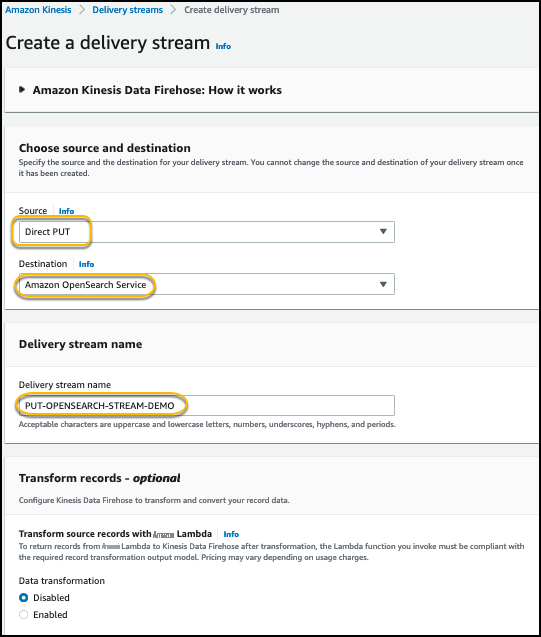
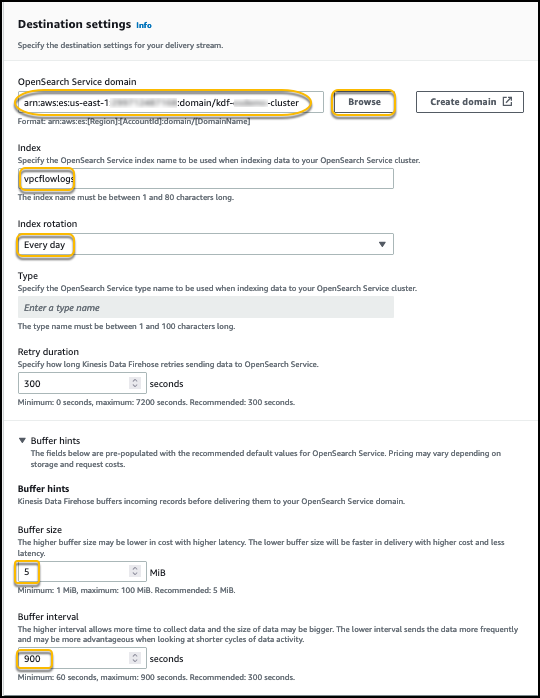
- In the Destination settings section, choose Browse and choose the previously created Amazon OpenSearch Service domain.
- For Index name , enter vpcflowlogs.
- For Index rotation , choose Every day .
-
For this post, we set
Buffer size
to 5 and
Buffer interval
to 900.You can modify these settings to optimize ingestion throughput and near-real-time behavior.
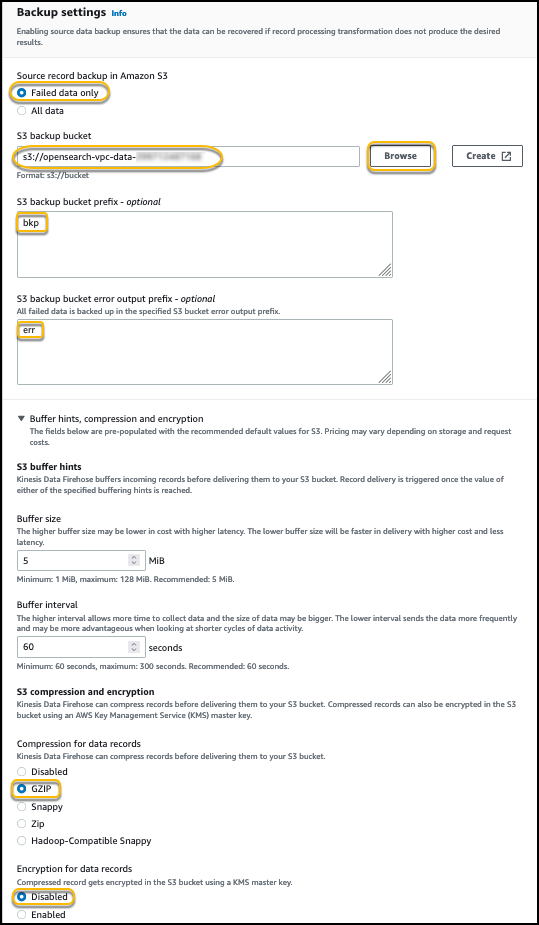
- In the Backup settings section, for Source record backup in Amazon S3 , select Failed events only so you only save the data that fails to deliver to Amazon OpenSearch Service.
- For S3 bucket , choose Browse and choose the S3 bucket you created to store failed logs and backups.
- Optionally, you can input a prefix for backup files and error files.
- Select GZIP for Compression for data records .
-
For
Encryption for data records
, select
Disabled
.
- Expand Advanced settings , and for Amazon CloudWatch error logging , select Enabled .
-
Choose
Create delivery stream
.
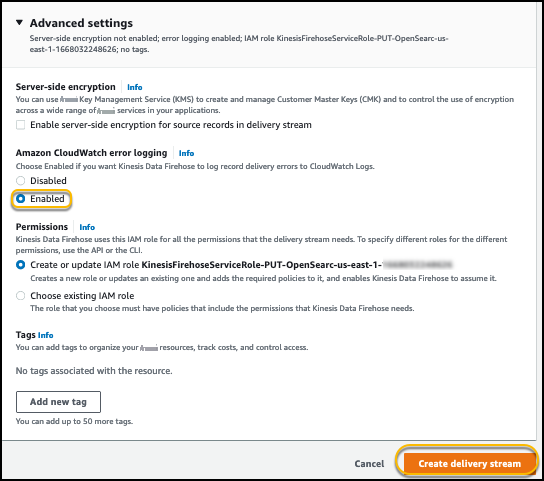
When the delivery stream is active, proceed to the next step.
Create a VPC flow logs subscription
Now you create a VPC flow logs subscription for the Firehose delivery stream you created in the previous step.
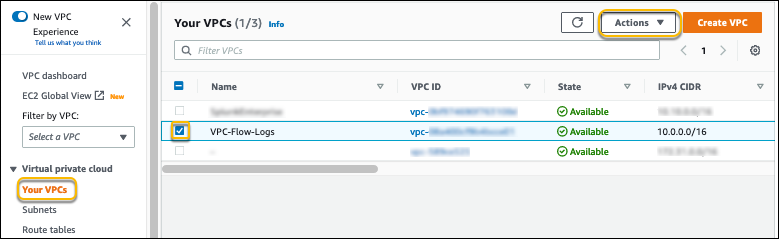
- On the Amazon VPC console, choose Your VPCs .
- Select the VPC for which to create the flow log.
-
On the
Actions
menu, choose
Create flow log
.
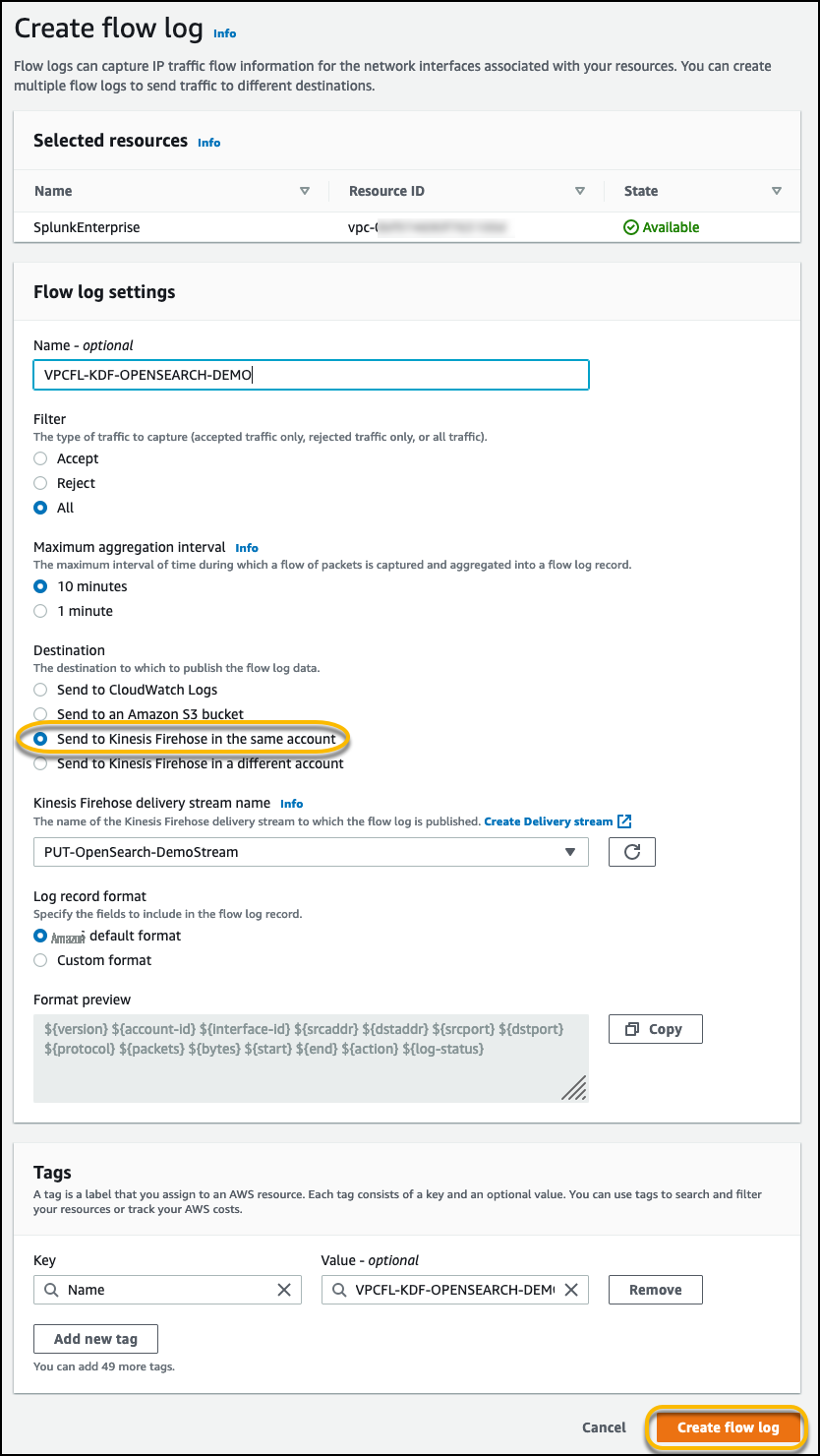
- Select All to send all flow log records to Amazon OpenSearch Service.
If you want to filter the flow logs, you can select either Accept or Reject .
- For Maximum aggregation interval , select 10 minutes or the minimum setting of 1 minute if you need the flow log data to be available for near-real-time analysis in Amazon OpenSearch Service.
- For Destination , select Send to Kinesis Firehose in the same account if the delivery stream is set up on the same account where you create the VPC flow logs.
-
For
Log record format
, if you leave it at
Amazon Web Services default format
, the flow logs are sent as
version 2 format .
Alternatively, you can specify which fields you need the flow logs to capture and send to an Amazon OpenSearch Service. For more information on log format and available fields, refer to
-
Choose
Create flow log
.
Now let’s explore the VPC flow logs in Amazon OpenSearch Service.
Explore VPC flow logs in Amazon OpenSearch Service Dashboards
In the final step, we set up OpenSearch Service Dashboards to explore the VPC flow logs.
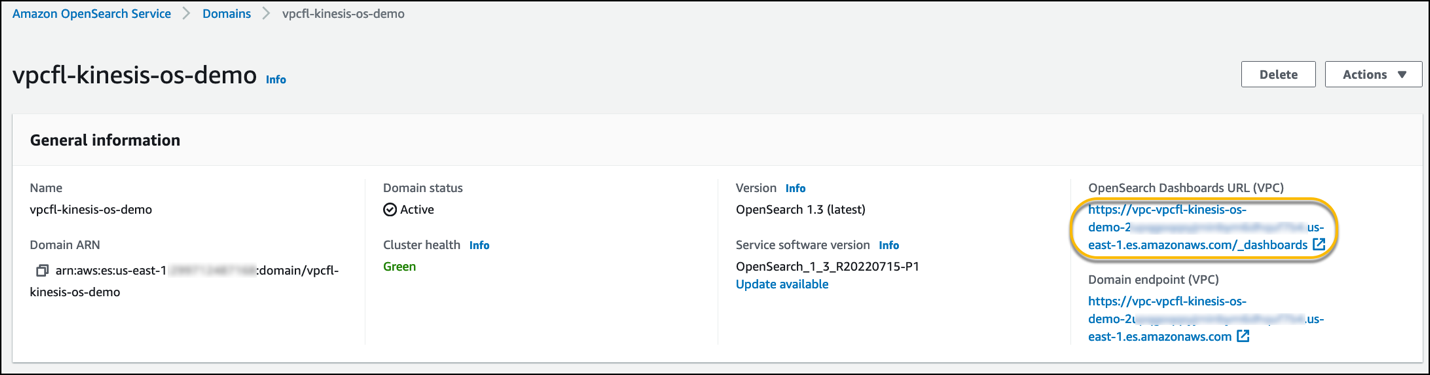
- On the OpenSearch Service console, choose Domains in the navigation pane.
- Choose the domain you created.
-
Under
OpenSearch Dashboards URL
, choose the link to open a new tab.
-
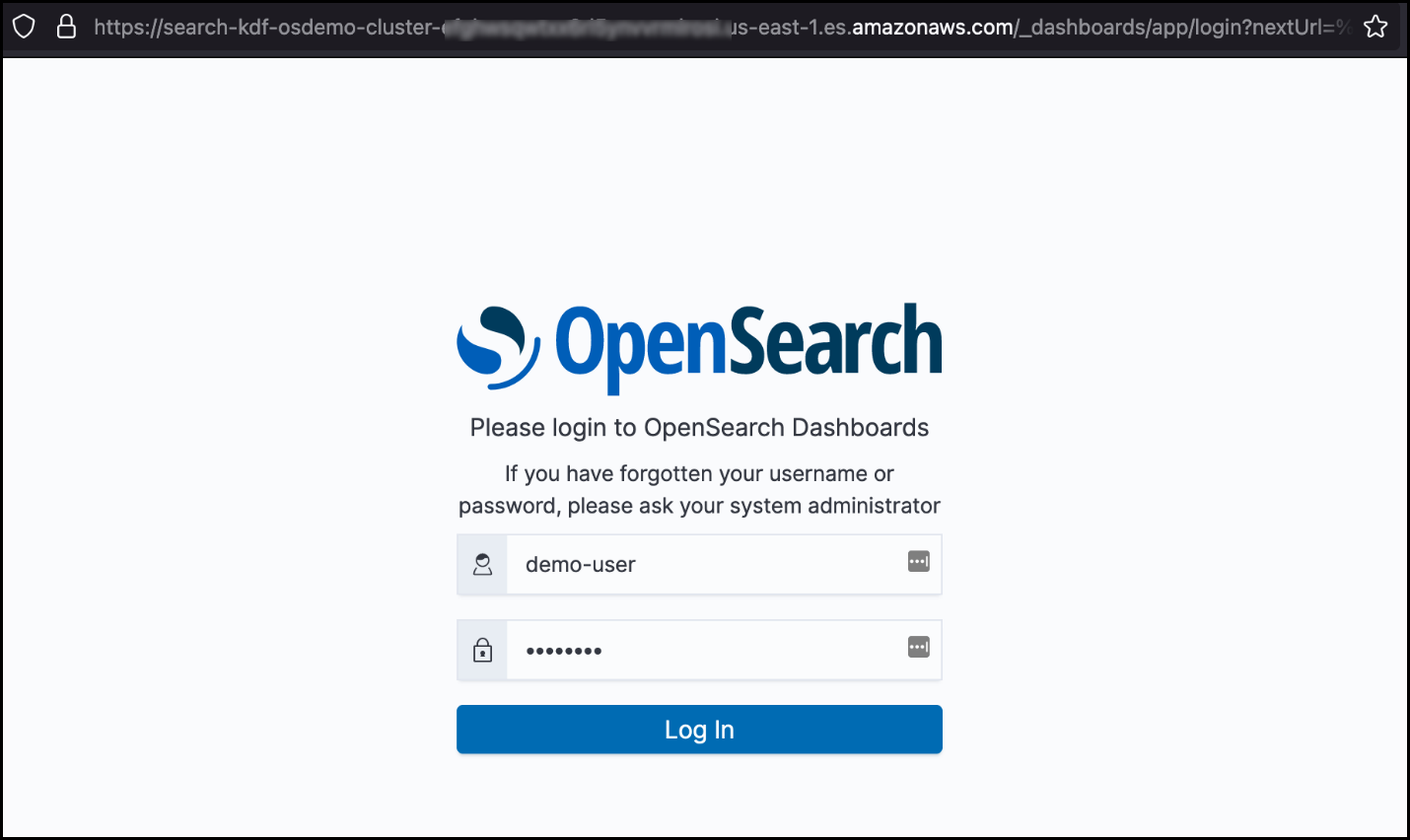
Log in with the user you created during OpenSearch Service domain setup.
-
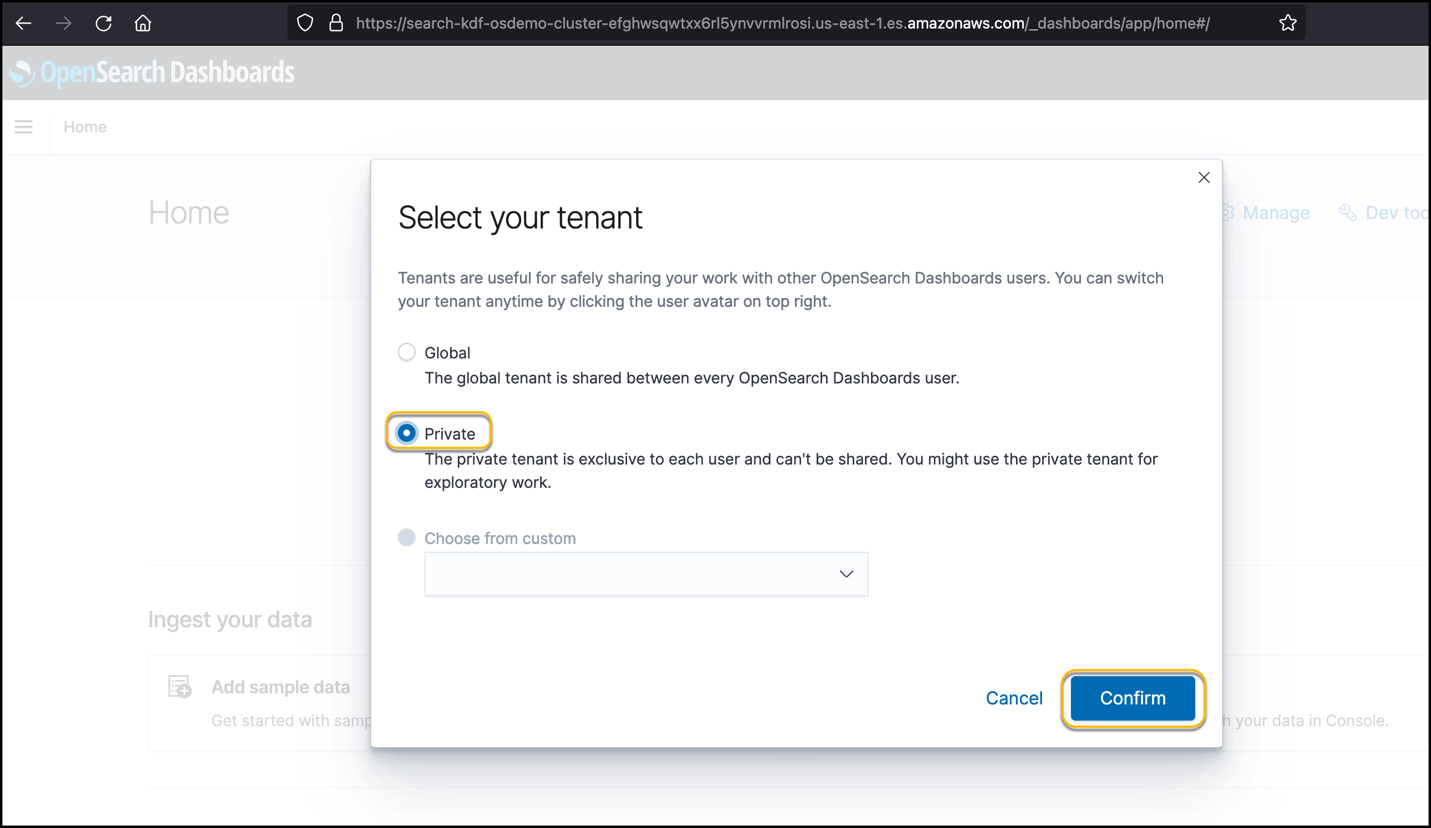
Select
Private
for
Select your tenant
, then choose
Confirm
.
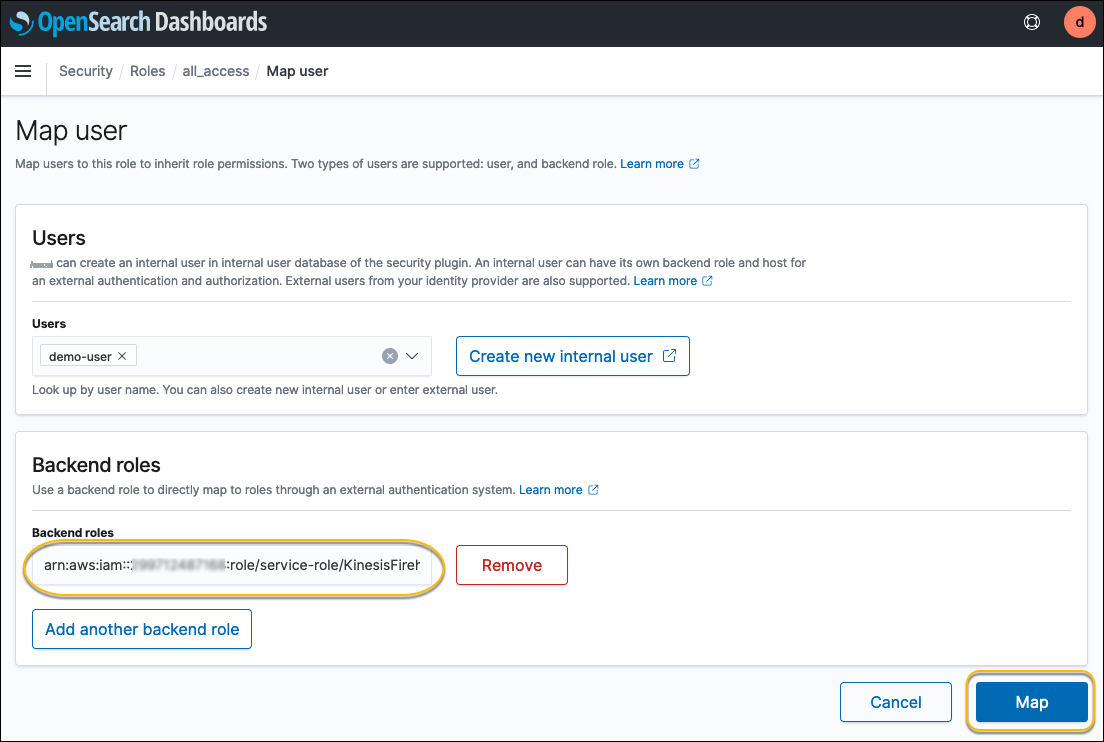
Because we used a public access domain for OpenSearch Service, you need to map the role created for the Firehose delivery stream to the OpenSearch Service Dashboards user, so that the delivery stream can deliver logs in bulk to the OpenSearch Service domain.
- On the menu icon, choose Security .
- Choose Roles .
-
Choose the
all_accessrole.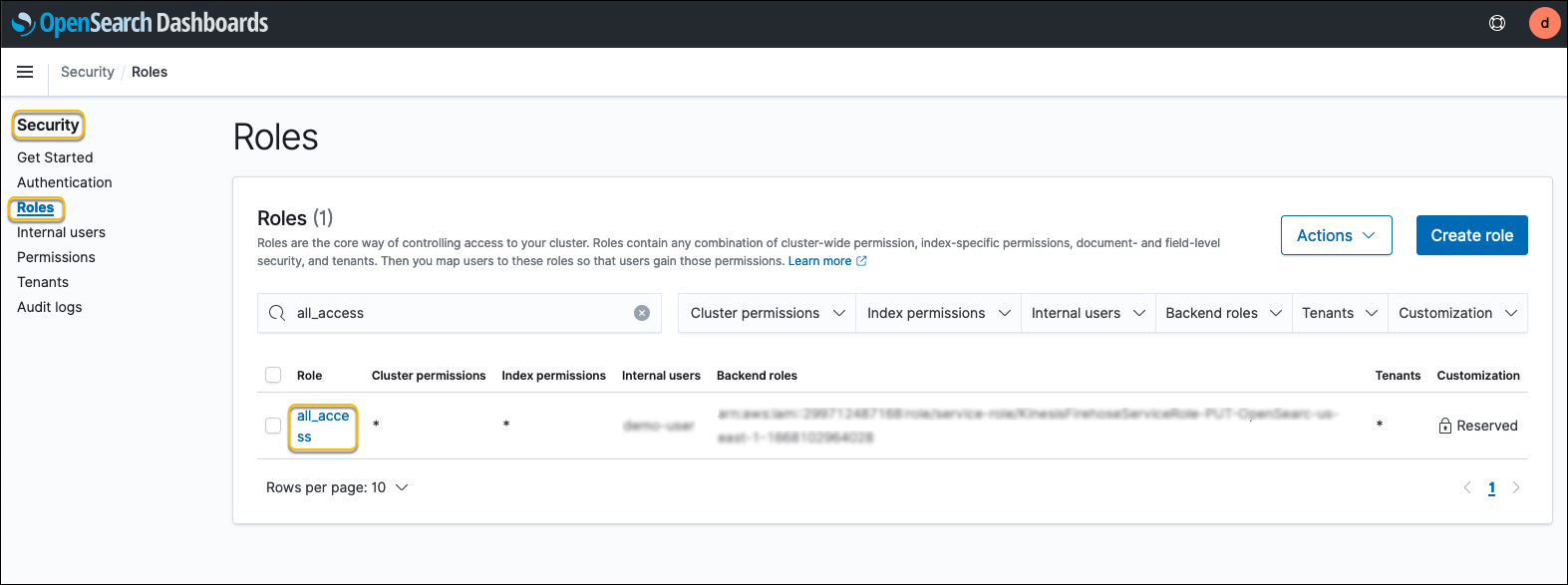
-
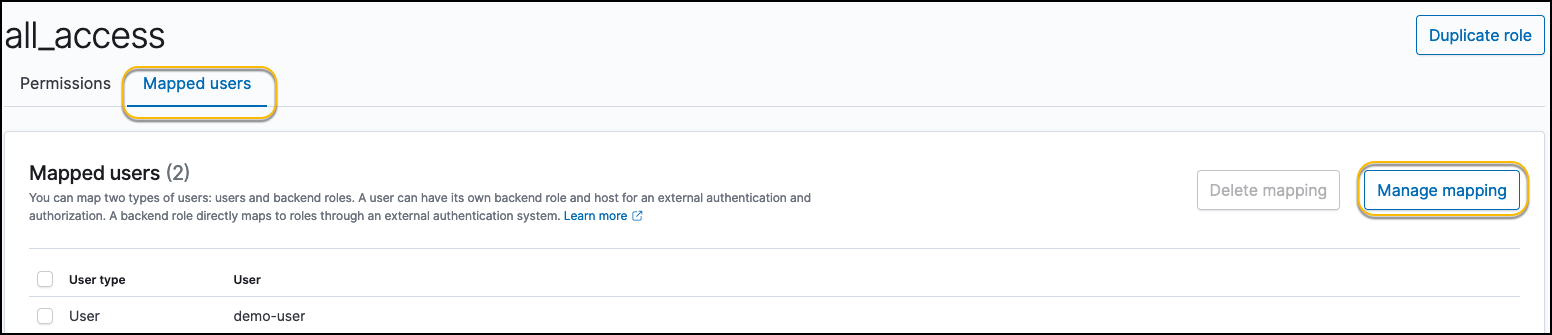
On the
Mapped users
tab, choose
Manage mapping
.
- For Backend roles , enter the IAM role ARN created for the Firehose delivery stream.
-
Choose
Map
.
-
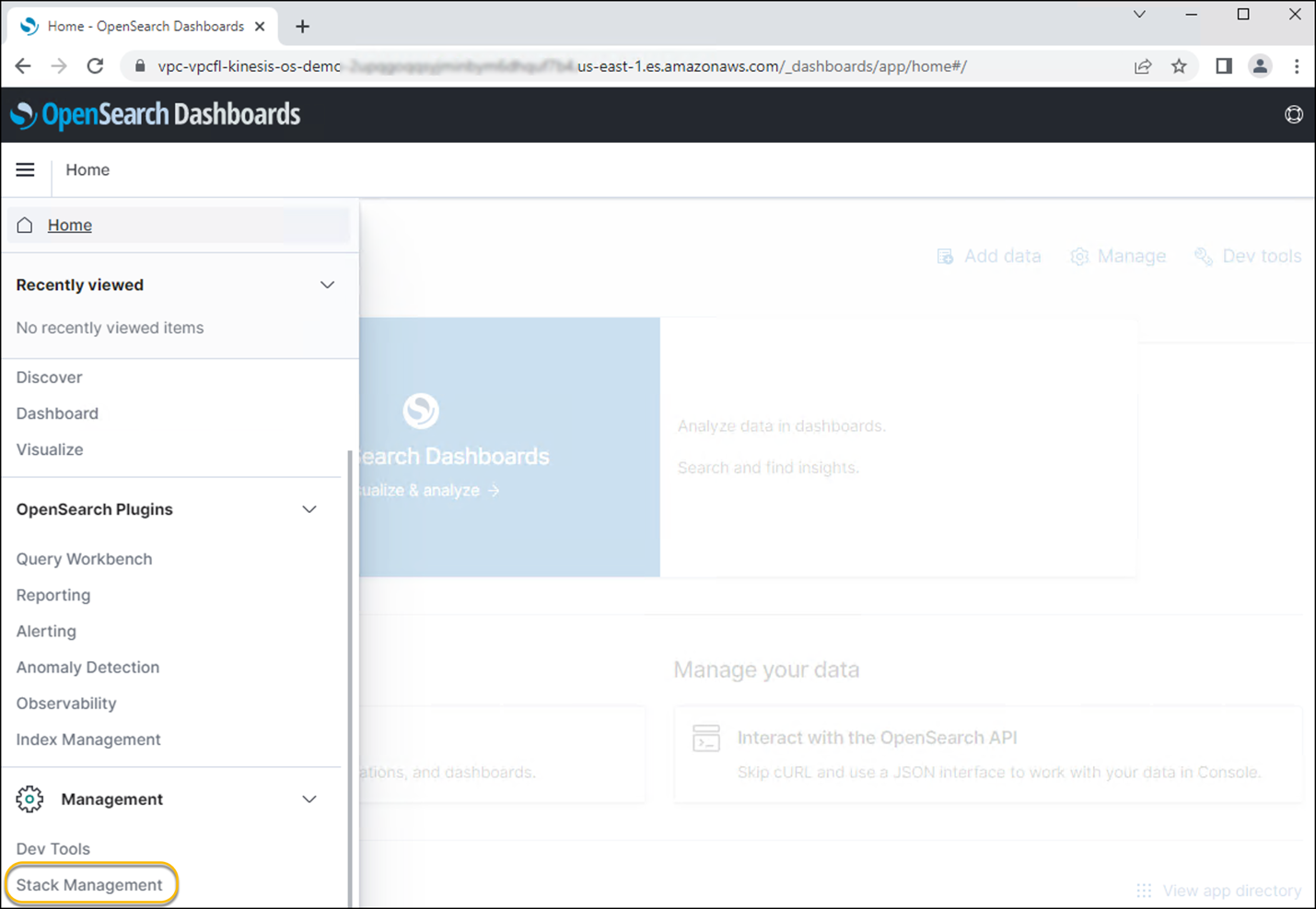
Now that mapping is complete, choose the menu icon, then choose
Stack management
.
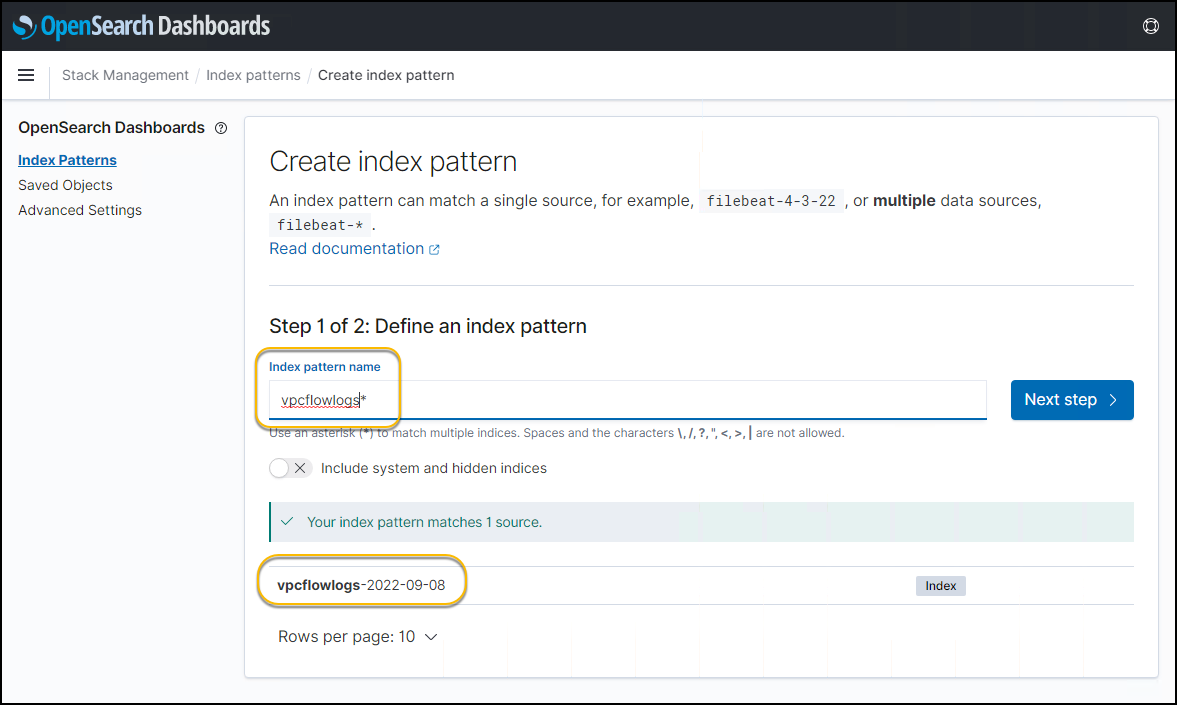
- Choose Index Patterns , then choose Create index pattern .
-
For
Index pattern name
, enter
vpcflowlogs*. -
Choose
Next step
.
-
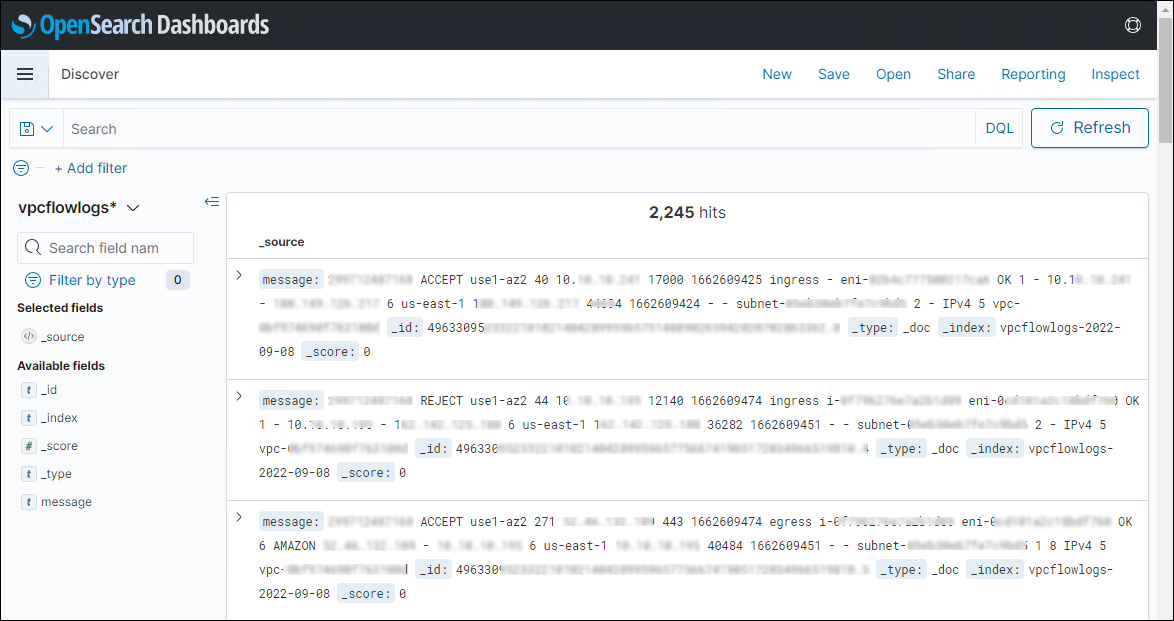
Navigate to the
Discover
menu option.You can see the VPC flow logs from your VPC in this dashboard. Now you can search and visualize the flow logs that are being streamed in near-real time to the OpenSearch Service domain.
Clean up
After you test out this solution, remember to delete all the resources you created to avoid incurring future charges:
-
Delete your Amazon OpenSearch Service domain. -
Delete the VPC flow logs subscription. -
Delete the Firehose delivery stream. -
Delete the S3 bucket for the VPC flow logs backup and failed logs. -
If you created a new VPC and new resources in the VPC,
delete the resources and VPC.
Conclusion
In this post, we walked through a solution of how integrate VPC flow logs with a Kinesis Data Firehose delivery stream and deliver it to an Amazon OpenSearch Service destination with no code and visualize it in OpenSearch Service Dashboards.
Try this new quick and hassle-free way of sending your VPC flow logs to an Amazon OpenSearch Service using Kinesis Data Firehose.
About the Author

The mentioned AWS GenAI Services service names relating to generative AI are only available or previewed in the Global Regions. Amazon Web Services China promotes AWS GenAI Services relating to generative AI solely for China-to-global business purposes and/or advanced technology introduction.